How to Make the Bulin 47 AI Video With Your Photo (Step-by-Step, 2026)
Make your own Bulin 47 AI freestyle video from one photo in 3 steps: 15 seconds, 9:16 vertical, with the original sound or your own lyrics, ready in about 5–10 minutes. Plus how to post it on TikTok.
 Bulin 47 AI
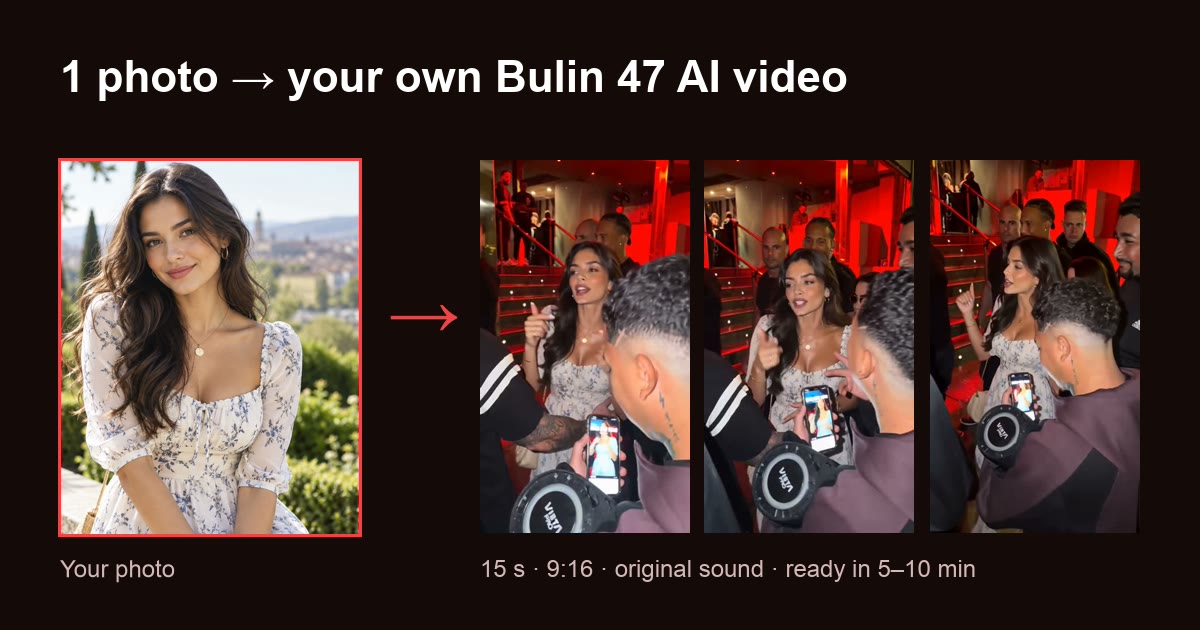
Short answer: upload one front-facing photo to Bulin 47 AI, pick a style and resolution, and download a 15-second 9:16 MP4 of you doing the Bulin 47 freestyle in about 5–10 minutes: with the original sound, or rapping your own lyrics on the dembow beat. No app, no CapCut template, no editing.
1 photo · 15 s · 9:16 · original sound · from $9.90
New to the trend? Read what the Bulin 47 AI trend is and where it came from first.
What you need
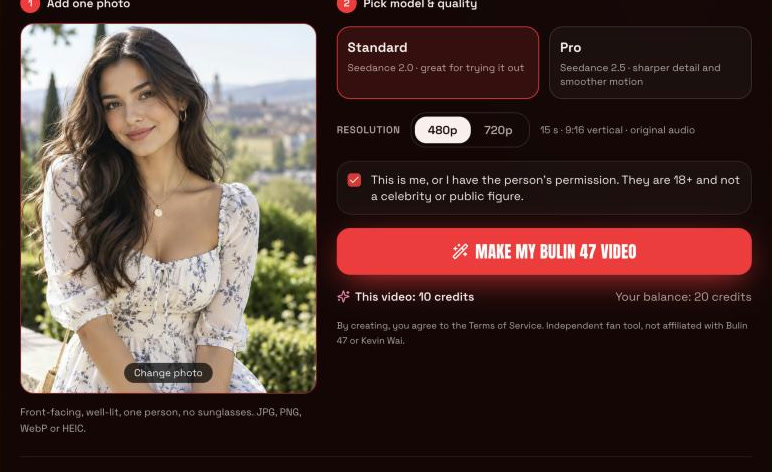
- 1 photo of one person: front-facing, well lit, face not covered by sunglasses, masks or heavy filters. JPG, PNG, WebP or HEIC.
- A free account to sign in.
- Credits: 10 for a video (Seedance 2.5, 480p). Packs start at $9.90 for 10 credits.
- About 5–10 minutes of rendering time.
Step 1: Upload one photo
Open the generator on the homepage and add your photo. A selfie taken at arm's length in daylight works best. Then tick the box to confirm the photo is you, or someone 18+ who agreed to be in the video. Photos of celebrities, public figures or minors are not allowed.
Step 2: Pick a style and resolution
First pick a style:
- Original freestyle: you in the original clip, with its moves, timing and sound.
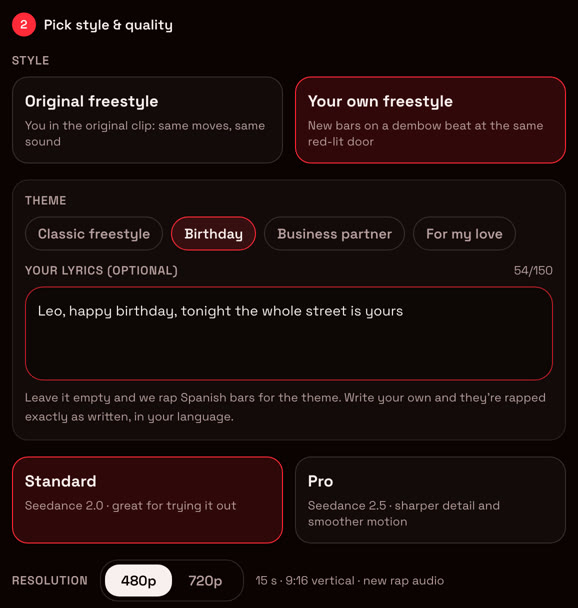
- Your own freestyle: new lyrics on a dembow beat at the same red-lit door. Pick a theme and, if you like, write your own words. More on that below.
Then pick a resolution. Both styles cost the same, and every video is made with Seedance 2.5: 10 credits at 480p, 25 credits at 720p HD.
The button shows the exact cost before you start, and every option renders the same 15-second, 9:16 vertical video. Here Your own freestyle is selected with the Birthday theme and custom lyrics, at 480p (10 credits):
Step 3: Generate and download
Tap Make my Bulin 47 video. Rendering takes about 5–10 minutes; you can close the page and come back, and the video will be under Your recent videos. When an Original freestyle video is ready you get two downloads, both MP4 with no watermark:
- Download with original audio: the video with the original freestyle sound added. Use this for Instagram Reels, YouTube Shorts or the group chat.
- Download silent: the video without sound. Use this for TikTok, where you add the original sound in the app (see below).
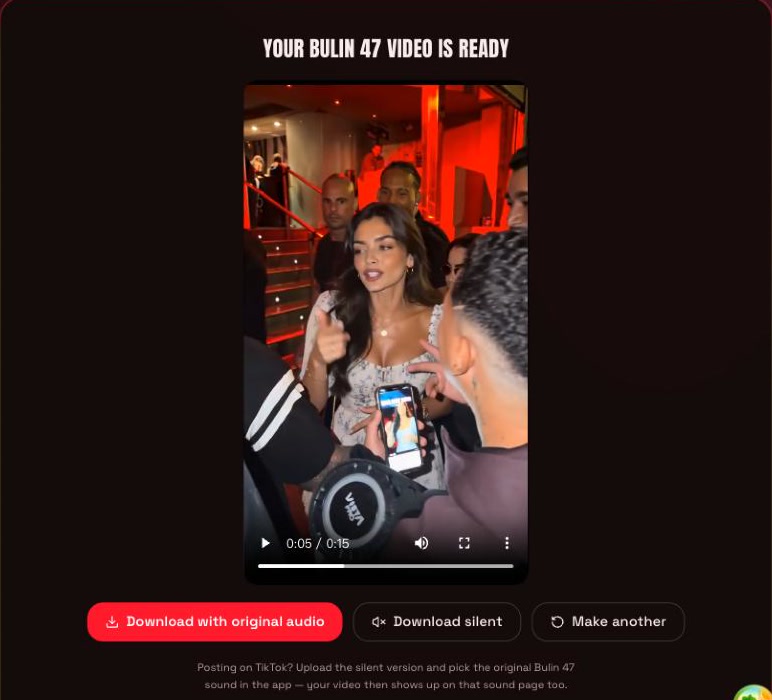
A Your own freestyle video has a single Download video button: its audio is generated with the video, so there is nothing to add.
If a render fails, times out or is blocked by a safety filter, the credits go straight back to your balance.
How to replace Bulin 47 with yourself
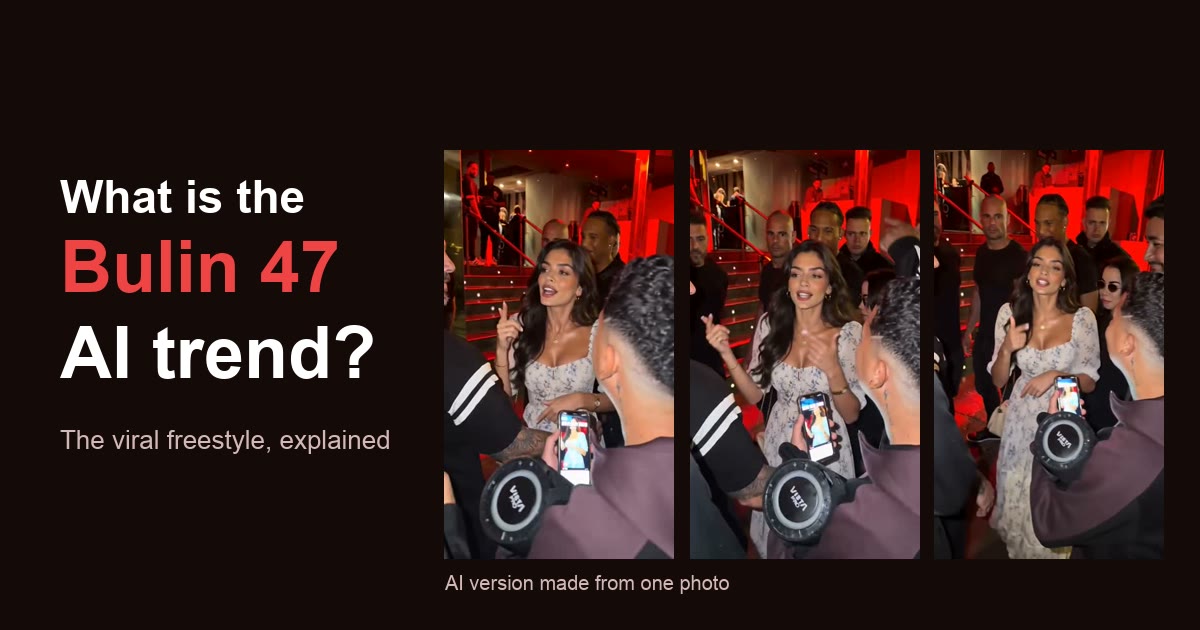
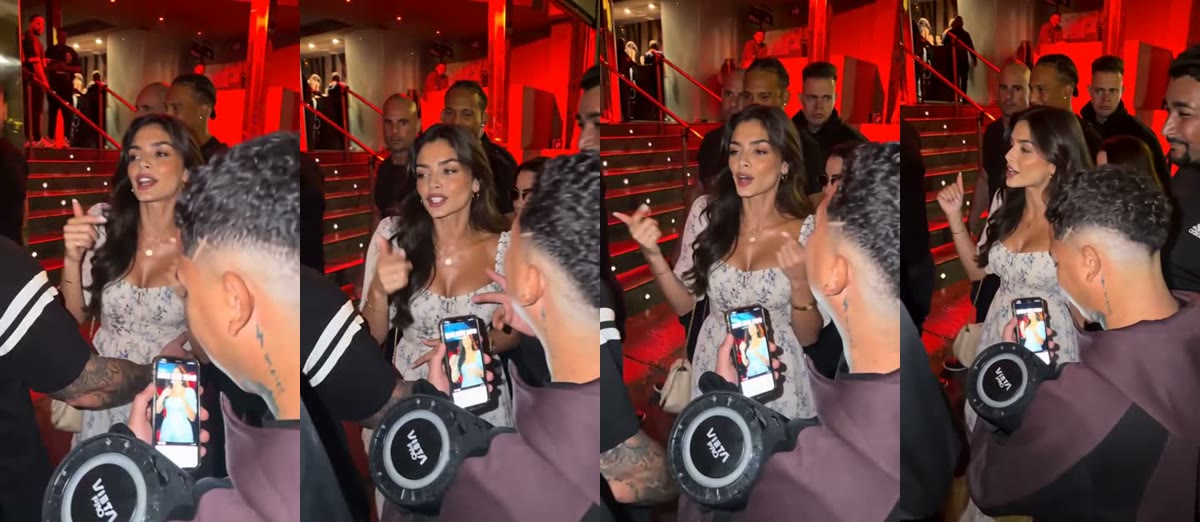
You do not need a video of yourself. The AI takes the original clip and replaces only the main performer with the person in your photo. These four frames come from one 15-second video made from the single photo above:
It keeps:
- every dance move and hand gesture, with the same timing;
- lip sync to the original rap;
- the handheld camera, the red-lit restaurant door and the crowd.
What changes is the face, hairstyle and look of the performer. The clearer your face is in the photo, the more the result looks like you.
Can you do it with just one photo?
Yes: one photo is all it takes. Extra photos are not needed and would not change the result. What matters is the quality of that one photo:
- Works best: one person, facing the camera, even light, face filling a good part of the frame.
- Works worst: group photos, side profiles, dark or blurry shots, sunglasses, strong beauty filters.
Rap your own lyrics with Your own freestyle
The original style copies the clip. Your own freestyle keeps the scene (the red-lit door, the crowd, the man holding the speaker) but you rap something new on a dembow beat, bouncing your shoulders to the kick.
- Pick a theme: Classic freestyle, Birthday, Business partner or For my love. The theme sets the mood of the performance and the crowd.
- Optionally write your lyrics, up to 150 characters (about 30 words; 15 seconds will not fit more). They are rapped exactly as written, in the language you write them in, so English lyrics come out in English.
- Leave the box empty and the video raps Spanish lyrics written for that theme, like the original dembow freestyle.
A few ideas: put a friend's name in a Birthday rap, hype your co-founder with Business partner, or surprise your partner with For my love. Short lines with a clear rhyme sound best.
Keeping the original sound
This part is for the Original freestyle style. Your video is lip-synced to the original rap, so the original sound fits it exactly. There are two ways to get it:
- On Bulin 47 AI: tap Download with original audio. The original freestyle sound is added in your browser, and you get one MP4 ready to post anywhere.
- In TikTok: download the silent version and pick the original Bulin 47 sound in the app. This is the better choice for TikTok, because videos that use the sound show up on that sound's page.
If adding the audio fails in your browser, download the silent version and add the sound in TikTok or CapCut.
How to post it on TikTok
- Tap Download silent and save the MP4 to your phone.
- In TikTok, tap + and choose Upload, then pick the video. It is already 9:16, so no cropping is needed.
- Tap Add sound, search for the original Bulin 47 freestyle sound and select it, starting from the beginning of the track.
- Before posting, turn on the AI-generated content label in the post settings. TikTok asks creators to label realistic AI videos.
- Add a caption and hashtags such as #bulin47 and #bulin47ai, then post.
For Instagram Reels and YouTube Shorts, use Download with original audio and upload that MP4 as it is.
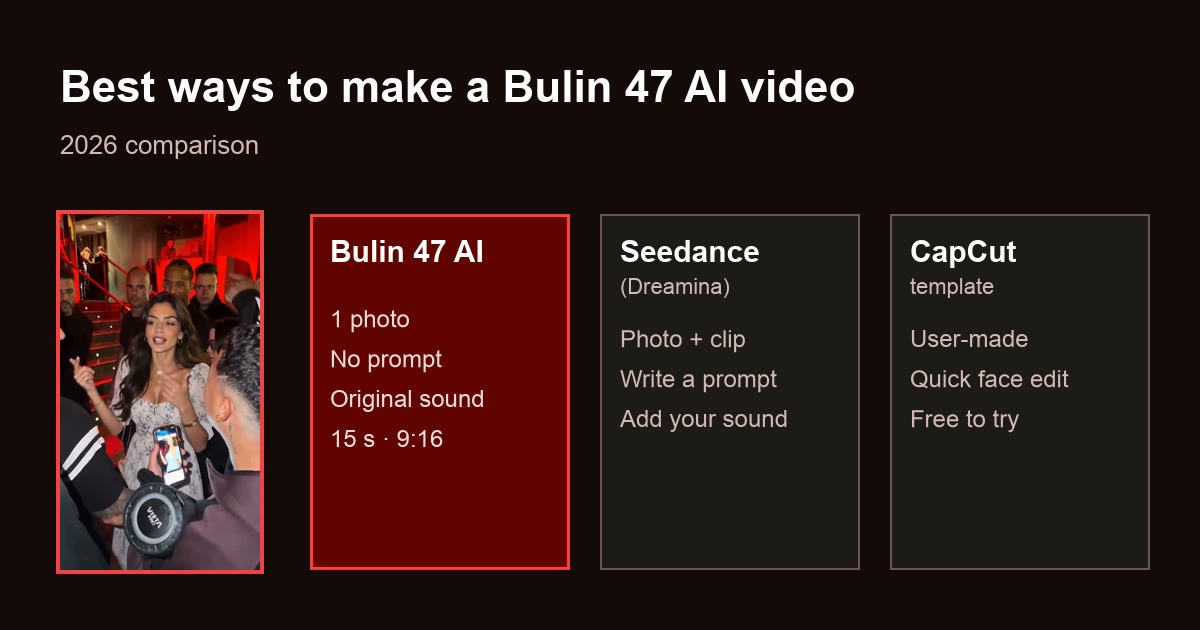
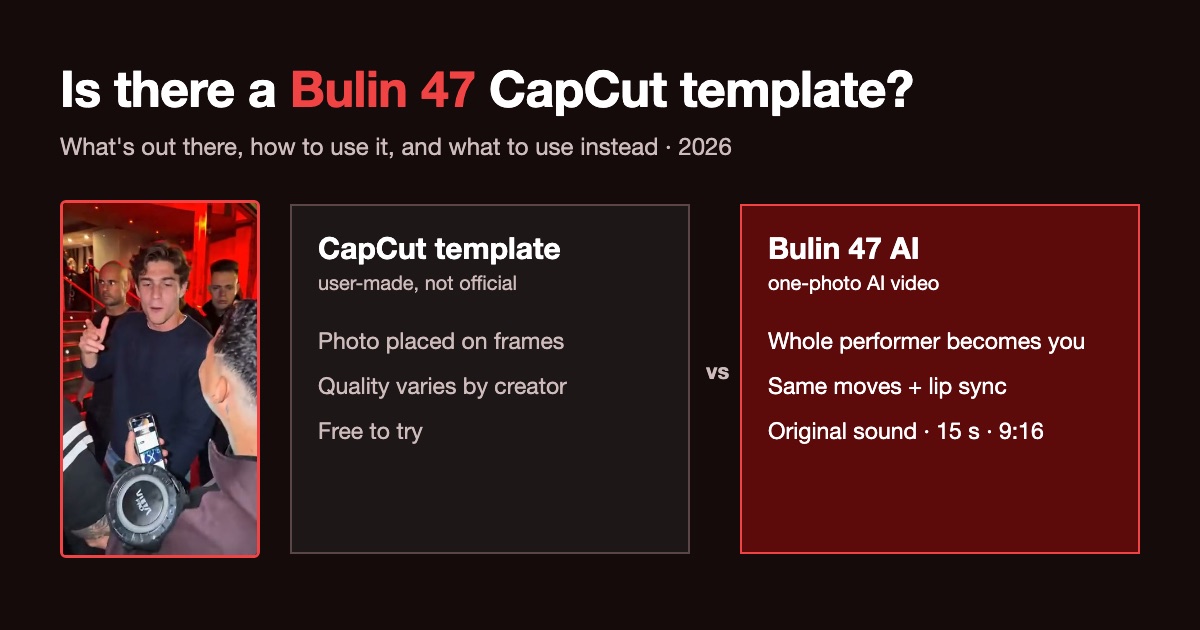
Wondering how this compares with using Seedance directly or a CapCut template? See the best ways to make a Bulin 47 AI video, or read whether there is a Bulin 47 CapCut template.
Tips for your own Bulin 47 freestyle edit
- Use 720p HD for a video you want to post; use 480p to test a photo first.
- Try a friend (with their permission): their reaction to seeing themselves do the freestyle makes a good follow-up video.
- Add text in TikTok's editor, such as "POV: me at the Bulin 47 door", after downloading.
- Not happy with the face? Retry with a brighter, more front-facing photo; that changes the result more than anything else.
Ready in about 5–10 minutes. Failed renders are never charged.
Bulin 47 AI is an independent fan tool. It is not affiliated with, endorsed by or connected to Bulin 47, Kevin Wai or their teams.
Frequently asked questions
- How can I make a Bulin 47 AI video with my own photo?
- Upload one clear, front-facing photo to Bulin 47 AI, pick 480p or 720p, and tap generate. In about 5–10 minutes you get a 15-second 9:16 MP4 of you doing the freestyle, with the original sound and no watermark.
- How do I do the Bulin 47 AI trend on TikTok?
- Make your video on Bulin 47 AI and tap "Download silent". In TikTok, upload the video, tap "Add sound", pick the original Bulin 47 freestyle sound, turn on the AI-generated content label and post. Using the sound puts your video on that sound page, where the trend is.
- Can I recreate the Bulin 47 dance using just one photo?
- Yes. One photo is enough: AI keeps every move, gesture and the timing of the original and puts your face, hair and look on the performer. You do not need to film yourself dancing.
- Does the video keep the original Bulin 47 sound?
- Yes. Tap "Download with original audio" and the original freestyle sound is added to your video, which is lip-synced to the rap. For TikTok, download the silent version instead and pick the original sound in the app.
- Can the Bulin 47 AI video rap my own lyrics?
- Yes. Pick "Your own freestyle", choose a theme (Classic freestyle, Birthday, Business partner or For my love) and write up to 150 characters, about 30 words. They are rapped on a dembow beat at the same red-lit door, in the language you write them in. Leave the box empty and the video raps Spanish lyrics written for the theme. It costs the same as the original-sound video.
- How long does it take?
- About 5–10 minutes per video. You can leave the page; the finished video waits under "Your recent videos" on the homepage.
- Is it free?
- No. Each video uses credits because it runs on a paid AI video model. The cheapest option is $9.90 for 10 credits, enough for 1 standard video, and a render that fails is never charged.